EHR Billing Integration for Aesthetic Practices: What to Check
EHR billing integration builds the charge from the signed chart. What it should cover for self-pay checkout and insurance claims, and what to ask vendors.
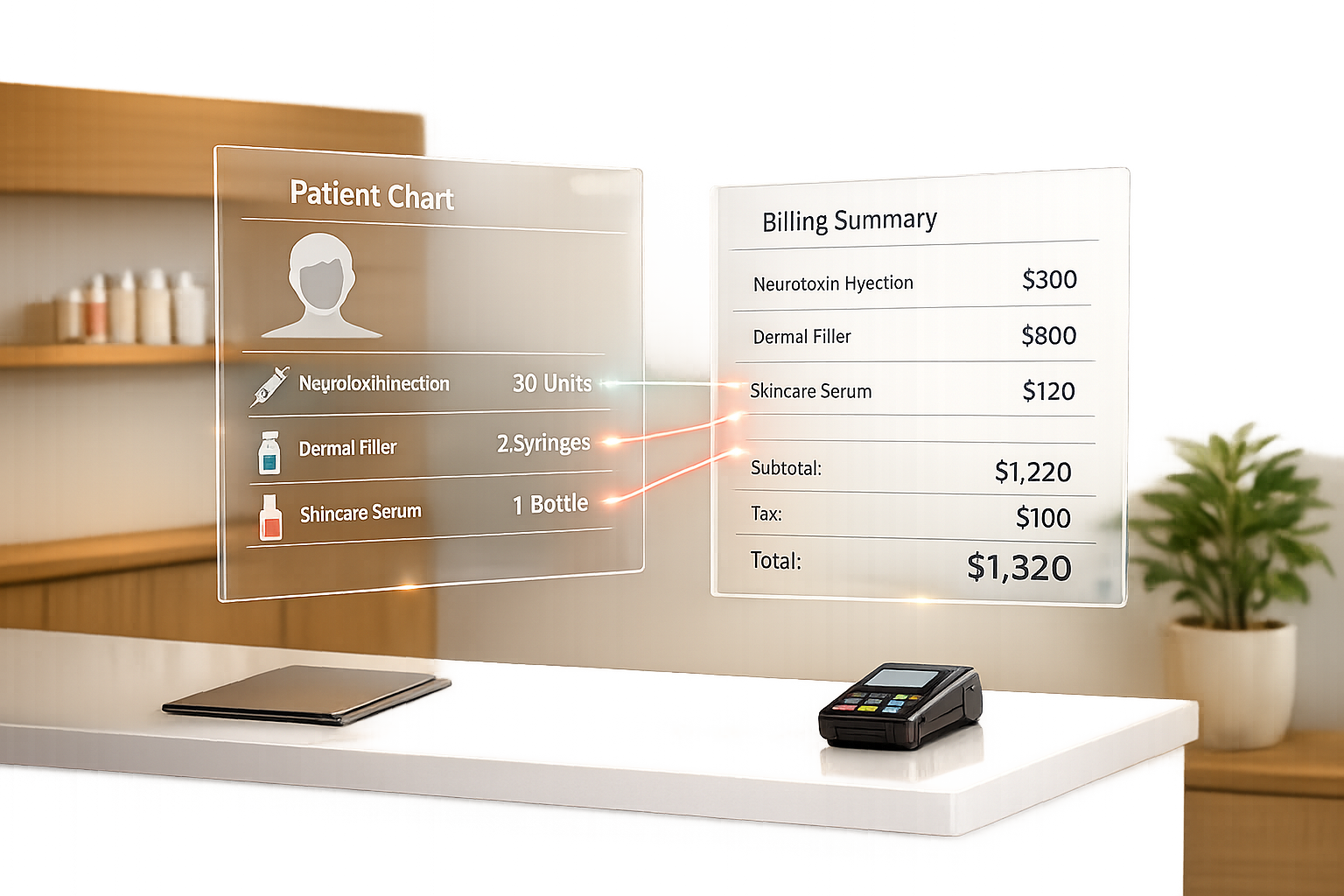

EHR billing integration means the charge for a visit is built from the signed chart, so the services, products and units a clinician documents flow to checkout or to a claim without being typed in again. For an aesthetic practice, that covers two different jobs: self-pay checkout (treatments, injectables by unit, retail, packages and memberships) and, for practices that take insurance, claim creation with CPT, HCPCS and ICD-10-CM codes. Ask any vendor which of those two jobs it actually does.
Quick reference:
- Charge capture: the chart, not a separate form, is the source of the charge.
- Product linkage: units or syringes recorded in the note are deducted from inventory and appear on the invoice.
- Self-pay checkout: deposits, card on file, split payments, packages and memberships tied to the same patient record.
- Insurance claims: a claim built from the note's codes, sent through a clearinghouse, with remittance (ERA) posted back. This is a separate capability; many aesthetic platforms do not include it.
Sources checked October 14, 2026 · Prepared by Prospyr. No certified-coder or clinician review is claimed. CPT is a registered trademark of the American Medical Association; use the current licensed code set.
What goes wrong with disconnected systems
When the chart, the inventory list and the checkout screen are separate tools, the same facts are entered more than once. That is where errors come from:
- Missed charges: a product used in the room never reaches the invoice.
- Unit mismatches: the note says 24 units, the invoice says 20, and inventory says nothing.
- Re-keyed codes: for insurance work, a code copied by hand from a note to a claim can be wrong or missing a modifier.
- Scattered patient data: protected health information sits in more systems, each needing its own access controls and, where a vendor handles it, its own business associate agreement (BAA).
Reading about the problem? See how Prospyr solves it in one platform.
Book a DemoWhat an integrated setup should do
Charge from the chart
When a clinician signs a treatment note, the services and products in it should create the charge. Check that a front-desk team member can see what was charted before checkout, and that changes after signing are logged.
Tie products to the invoice and inventory
For injectables, record product, lot number, expiration date and units in the note. The same entry should reduce inventory and add the charge. This also gives you a lot trail if a manufacturer issues a recall.
Handle self-pay payments in one record
Deposits, card on file, packages, memberships and refunds should sit on the patient's record next to the chart, so the team can answer "what has this patient paid for and used?" in one place.
For insurance: confirm the claims path
If you bill insurance, ask the vendor plainly:
- Does it create claims from the note, or only export data to another system?
- Which clearinghouse does it use, and who submits the claim?
- Does it post ERAs back to the patient account?
- Who checks code and modifier choices, and against what?
If the answer is "export", plan for a separate claims or billing service and test the hand-off before you switch.
Questions to ask before you switch
- Can you export your patients, charts, photos and payment history if you leave?
- Will the vendor sign a BAA?
- How are user roles and access set, and is access logged?
- What does the migration include, and who checks the data after import?
- How long is training, and who answers support questions?
Where Prospyr fits
Prospyr connects charting, digital intake, inventory, checkout and payments and practice operations for self-pay aesthetic care. It does not submit insurance claims, scrub codes or verify reimbursement. Practices that bill insurance heavily need a separate claims solution.